Videography Services and Video Syncing for Texas Legal Teams
When trial deadlines approach, your team needs more than basic video recording. You need synchronized video transcripts that let you jump instantly to critical testimony. You need equipment that captures every word clearly. You need a partner who delivers on schedule, every time.
Video deposition services have transformed how litigation teams prepare for trial. The technology pairs recorded testimony with real-time transcripts. Every word links directly to its moment in the video. This makes case preparation faster and more effective.
Complete Legal provides videography services and video syncing across Dallas-Fort Worth and throughout Texas. We focus on clear coordination, reliable execution, and deliverables that work seamlessly when deadlines are tight.
Get Reliable Video Deposition Services Today
Texas Best recognized litigation support with fast turnaround times for your trial preparation needs.
What Professional Videography Services Include
Videography goes far beyond pointing a camera at a witness. Professional deposition services require specialized equipment, trained videographers, and understanding of court procedures. The technology must capture clear audio and video record of every moment.

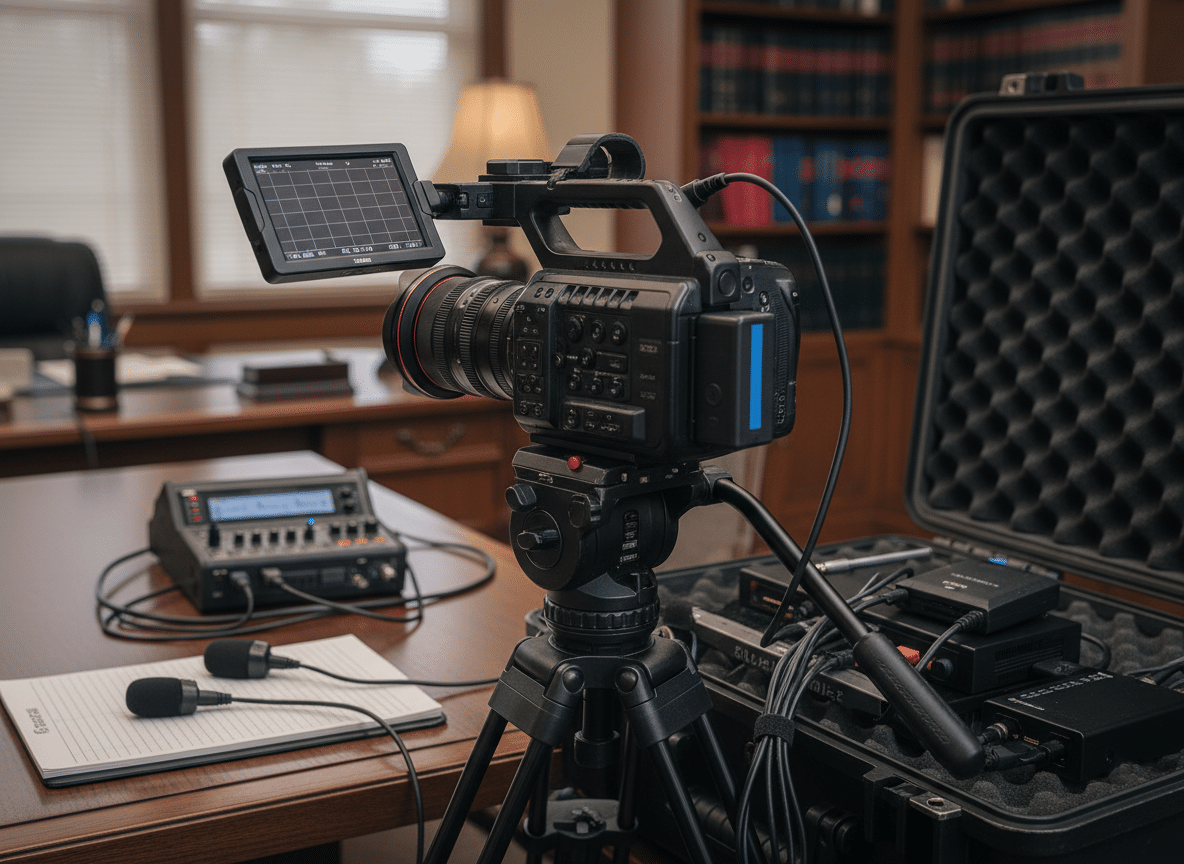
A complete video deposition service includes several key components. The videographer arrives early to test equipment and set proper lighting. Multiple microphones ensure clear audio capture from all participants. Backup systems protect against technical failures.
The video record becomes an official part of the case file. It must meet specific technical standards for court admissibility. Frame rates, resolution, and audio quality all matter. Professional videographers know these requirements and deliver compliant recordings every time.
Essential Equipment for Quality Video
High-quality video requires professional-grade equipment. Consumer cameras cannot match the reliability and clarity litigation demands. Our videographers use broadcast-quality cameras designed for extended recording sessions.
Video Equipment Standards
- HD cameras with backup recording capabilities
- Professional lighting systems for consistent quality
- Multiple angle coverage when requested
- Time-stamped video for precise reference
- Secure storage and chain of custody protocols
Audio Capture Technology
- Directional microphones for clear testimony
- Wireless systems that eliminate cable clutter
- Backup audio recording on separate devices
- Noise reduction for challenging environments
- Real-time monitoring to catch issues immediately

How Video Syncing Technology Transforms Trial Preparation
Video transcript synchronization represents a major advancement in litigation support. This technology links every line of written transcript to its exact moment in the video deposition. The result changes how legal teams review testimony and prepare presentations.

Traditional deposition review meant reading hundreds of pages to find key moments. Then you had to locate the corresponding video footage manually. This process consumed hours of billable time. Synchronized video transcripts eliminate this inefficiency.
The synchronization process happens during transcript production. Certified court reporters create the written record while software tags each word to its video timestamp. The final product lets you click any line of text and instantly jump to that moment in the video.
Benefits of Video Syncing for Litigation Teams
Synchronized depositions provide multiple advantages for case preparation. Attorneys can quickly locate contradictions in testimony. Paralegals can compile exhibits more efficiently. Trial presentation becomes more persuasive when you can show jury members exactly what witnesses said.

- Instant access to critical testimony moments saves preparation time
- Side-by-side comparison of video and text catches inconsistencies
- Easy clip creation for compelling trial presentations
- Multiple team members can review depositions simultaneously
- Searchable transcripts with linked video provide powerful research tools
- Reduced storage costs compared to maintaining separate video and text files
The technology supports various trial presentation software platforms. Legal teams can create custom video clips showing specific testimony. These clips integrate smoothly into courtroom presentations. The jury sees and hears the witness while following along with the official transcript.
Exhibits Linked and Video Synced to Transcripts
Exhibits create context for testimony. Referencing the right document at the right moment makes or breaks arguments. Our production team eliminates the guesswork.
We OCR your exhibits and link them directly to transcript references. When testimony mentions Exhibit 14, you click the hyperlink. The document appears instantly. No searching through file folders. No flipping through exhibit binders.
Complete Deposition Transcript Integration
Video depositions capture nuances that text cannot convey. Witness demeanor matters. Hesitations speak volumes. Body language reveals confidence or uncertainty.
Our video synchronization technology links every word of testimony to the corresponding video timestamp. Click any line in the transcript. The video jumps to that exact moment. You see and hear the testimony simultaneously.
OCR Exhibit Linking
Every exhibit becomes searchable text. References connect directly to source documents.
- Optical character recognition on all exhibits
- Hyperlinked references throughout transcripts
- Instant document retrieval during review
- Text-searchable exhibit contents
Video Synchronization
Transcript and video work as one integrated record of proceedings.
- Frame-accurate video synchronization
- Click any transcript line to view video
- Search text to find video moments
- Complete deposition package delivery
This integration transforms case preparation. Junior associates review depositions more efficiently. Senior partners locate impeachment opportunities faster. Trial teams build presentations with precise video clips linked to transcript citations.
Professional Videography Services
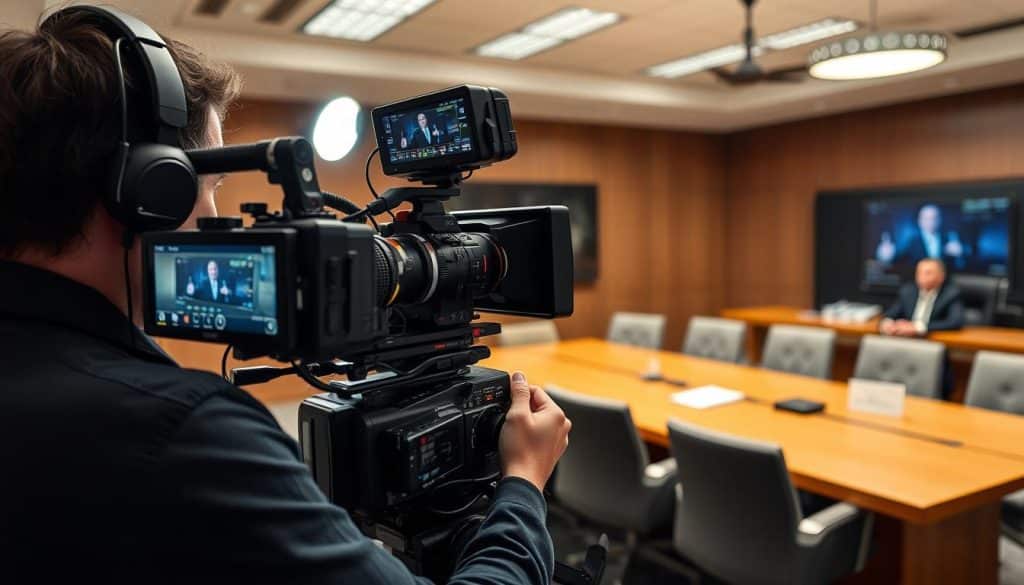
Video recordings change settlement negotiations. Juries respond differently to video testimony than written transcripts. Seeing witness credibility issues makes stronger impact than reading about them.
Complete Legal’s proceedings get recorded digitally by professional Videographer Specialists. We use broadcast-quality equipment exclusively. Poor video quality undermines your investment. Our recordings meet courtroom presentation standards.
Why Video Quality Matters for Your Case
Settlement conferences become more productive with compelling video evidence. Defense attorneys see firsthand how their expert witness performed under cross-examination.
Courtroom presentations demand professional production values. Judges expect clear audio. Juries need readable exhibit displays. Technical problems during trial create disasters.
- Professional videographers arrive early to set optimal camera angles and test lighting conditions
- Broadcast-quality equipment captures crystal-clear audio without background noise interference
- Multi-camera setups record witness reactions and exhibit presentations simultaneously when requested
- Post-production includes synchronized transcripts and exhibit integration for trial presentation
- Digital delivery provides files compatible with all courtroom playback systems
Trial Advantage: Video depositions preserved on digital media survive longer than aging VHS tapes. Cases extending over years benefit from future-proof recording formats.
Experience the Power of Synchronized Video Transcripts
Complete Legal delivers trial-ready video deposition services with fast turnaround times. Our team coordinates every detail from recording through final synchronized delivery.
The Complete Video Deposition Process
Professional video depositions require careful planning and execution. From initial scheduling through final delivery, each step demands attention to detail. Understanding the process helps legal teams prepare effectively.
Pre-Deposition Coordination
Successful depositions start with thorough preparation. Our videographer contacts all parties to confirm location, time, and special requirements. We verify the deposition site has adequate space and electrical outlets. If the location presents challenges, we recommend solutions before the deposition date.
Equipment checks happen the day before each deposition. Fresh batteries charge overnight. Backup recording media undergoes testing. This proactive approach prevents technical issues during testimony.
Day-of-Deposition Procedures
Our videographer arrives at least 30 minutes early. Equipment setup follows a systematic checklist. Camera positioning ensures clear view of the witness while maintaining appropriate professional distance. Lighting adjustment creates consistent, flattering illumination without harsh shadows.
Recording Standards We Follow
- Continuous recording of all on-the-record testimony
- Clear announcement of breaks and off-record discussions
- Proper framing that captures witness demeanor and gestures
- Backup recording running simultaneously on second device
- Real-time quality monitoring throughout the session
The court reporter and videographer work as a coordinated team. The reporter creates the written transcript while the videographer captures the visual record. Both professionals maintain neutral objectivity throughout the proceedings.
Post-Deposition Processing and Delivery
After the deposition concludes, synchronized transcript production begins. The court reporter prepares the written transcript following standard certification procedures. Meanwhile, our technical team processes the video footage.

The synchronization software aligns each line of transcript text with its corresponding video moment. Quality control checks verify accurate timing throughout the entire deposition. Our team reviews the synchronized file to ensure smooth playback and accurate linking.
Final delivery includes multiple format options. Most clients receive files compatible with common trial presentation software. We provide both high-resolution versions for courtroom display and compressed files for easier sharing among team members.
Using Synchronized Video for Powerful Trial Presentations
Video depositions become powerful tools during trial when properly presented. The jury sees the witness testify in their own words. This creates more impact than simply reading testimony aloud in court.

Synchronized video lets attorneys create custom clips highlighting important testimony. Instead of playing hours of deposition, you show the jury only the most relevant moments. The transcript synchronization ensures every clip includes proper context.
Creating Effective Video Exhibits
Trial preparation often involves compiling multiple short video clips. Each clip addresses a specific point in your case strategy. Synchronization technology makes this compilation process straightforward and precise.
- Search the transcript for key phrases or topics
- Select relevant testimony sections with appropriate lead-in and conclusion
- Create video clips that include complete questions and answers
- Add exhibit numbers and titles for easy courtroom reference
- Test all clips in your trial presentation software before court
- Prepare backup copies on multiple devices for redundancy

The visual nature of video testimony helps jury comprehension. Research shows people retain information better when they both see and hear it. Video depositions engage multiple senses, making testimony more memorable.
Real-World Case Applications
Consider a complex medical malpractice case with multiple expert witnesses. Each expert provided hours of deposition testimony about medical standards and patient care. The legal team used synchronized video to create focused clips showing each expert’s key opinions.
During trial, these clips played at strategic moments. The jury saw the experts explain complex medical concepts in their own words. The synchronized transcript appeared on screen, helping jury members follow technical terminology. This presentation method proved far more effective than reading deposition transcripts aloud.
Another case involved witness credibility challenges. The defense attorney had video clips showing the plaintiff giving contradictory testimony at different depositions. Playing these clips side-by-side demonstrated the inconsistencies clearly. The synchronized transcripts confirmed the exact wording, eliminating any question about what the witness actually said.
(214) 746-5400Call Complete Legal for professional video deposition services across Texas
Complete Legal’s Comprehensive Videography Services and Video Syncing
Complete Legal brings extensive experience to every video deposition. Our videographers understand both the technical requirements and the legal context. We have recorded thousands of depositions across Dallas-Fort Worth and throughout Texas.
Our Service Standards and Capabilities
We maintain the highest standards for equipment quality and professional conduct. Every videographer on our team undergoes thorough training in legal procedures and technical operations. They understand courtroom decorum and maintain neutrality throughout all proceedings.
Recording Services
- Standard video depositions
- Multi-angle coverage
- Remote deposition technology
- Day-in-the-life videos
- Site inspection documentation
Synchronization Options
- Standard video transcript syncing
- Exhibit integration and linking
- Custom clip compilation
- Multiple format delivery
- Trial presentation setup
Support Services
- Court reporting coordination
- Exhibit management
- Audio enhancement
- Rush turnaround options
- Technical trial support
Our location at 1201 Elm Street, Suite 2560 in Dallas provides central access to courthouses and law offices throughout the metroplex. We regularly serve clients from Fort Worth to Plano, and from Arlington to Richardson. For cases outside the Dallas-Fort Worth area, we coordinate videography services throughout Texas.

Technology Integration and File Delivery
We work with all major trial presentation software platforms. Whether your team uses TrialDirector, Sanction, or other courtroom technology, our synchronized files integrate seamlessly. We provide technical guidance to ensure smooth implementation.
File delivery happens through secure channels that protect confidential case information. Large video files transfer through encrypted systems. We maintain strict security protocols throughout the entire production and delivery process.
Our commitment to fast turnaround reflects the reality of litigation deadlines. Standard synchronization typically completes within the same timeframe as transcript delivery. Rush services accommodate urgent trial preparation needs. We communicate clearly about timelines and deliver when promised.
Partner with Texas Best Recognized Litigation Support
Complete Legal provides videography services and video syncing with reliable execution and trial-ready deliverables. From court reporting to data forensics, we handle the complete range of litigation support needs across Texas.
Selecting the Right Video Deposition Provider
Not all videography providers offer the same level of service or technical capability. Choosing the right partner affects both case preparation efficiency and courtroom presentation quality. Several factors deserve consideration.
Key Evaluation Criteria
Experience with legal proceedings matters significantly. Videographers who regularly work in legal settings understand courtroom requirements and attorney expectations. They know how to maintain appropriate professional boundaries while capturing necessary footage.
- Years of experience specifically in video deposition work
- Equipment quality and backup system redundancy
- Synchronization technology capabilities and software compatibility
- Average turnaround times and rush service availability
- Geographic coverage area and travel policies
- Security protocols for confidential case materials
- Professional certifications and ongoing training programs
- References from other litigation teams in your practice area
Technical support matters beyond the deposition itself. Questions arise during trial preparation. Your provider should offer responsive assistance when you need help with file formats, clip creation, or courtroom technology setup.
Understanding Pricing and Value
Video deposition costs vary based on several factors. Duration affects pricing, as longer depositions require more recording time and storage capacity. Synchronization adds value through enhanced functionality. Rush delivery commands premium pricing due to expedited processing requirements.
The lowest price rarely delivers the best value. Equipment failures, poor audio quality, or missed deadlines create costs far exceeding any initial savings. Reliable service from experienced providers protects your case preparation timeline.
Complete Legal provides transparent pricing for all videography services and video syncing. We explain what each service includes and help you select options matching your case needs and budget. There are no surprise charges or hidden fees.
Best Practices for Effective Video Depositions
Attorneys can take several steps to maximize video deposition effectiveness. Preparation before the deposition and strategic use afterward both contribute to successful outcomes.

Pre-Deposition Planning Tips
Coordinate with your videographer about exhibit handling. If you plan to show documents or demonstrative exhibits during the deposition, discuss the best way to capture them on video. Some exhibits may require close-up shots or special lighting.
- Notify the videographer about expected deposition duration for proper equipment preparation
- Confirm the deposition site has adequate space and power for video equipment setup
- Discuss any special requirements like multiple camera angles or exhibit documentation
- Plan question sequences that work well on video with clear, complete exchanges
- Consider the jury perspective when framing questions and anticipated answers
Think about how testimony will appear to a jury later. Clear questions and complete answers create better video clips. Avoid overly technical language when possible. If complex terms are necessary, establish clear definitions early in the deposition.
During Deposition Considerations
Maintain awareness of the video record throughout testimony. Speak clearly and at a reasonable pace. This helps both the court reporter and video audio quality. Avoid talking over witnesses or interrupting their answers.
Document handling requires special attention on video. When showing exhibits to witnesses, hold them in view of the camera long enough for clear capture. State exhibit numbers clearly for the record. This creates better synchronized video that integrates exhibits smoothly.
Remember that body language and witness demeanor appear on video. Non-verbal reactions can matter in credibility assessments. The video captures everything happening on the record, providing context beyond the written transcript alone.
Comprehensive Litigation Support Beyond Videography
Video deposition and synchronization represent just part of complete litigation support. Complex cases demand coordinated services across multiple areas. Complete Legal provides the full range of support litigation teams need.
Our court reporting services work seamlessly with videography. The same certified reporters who create synchronized transcripts can handle all your deposition needs. This coordination ensures consistency across your case record.
Record retrieval often supports video depositions. Medical records, employment files, or business documents become deposition exhibits. Our retrieval team can obtain these materials before the deposition, streamlining your preparation timeline.
Data forensics capabilities help when electronic evidence matters. We extract, preserve, and analyze digital information following proper forensic protocols. This service often complements testimony about electronic communications or digital business records.
Documentation Services
- Certified court reporting for all deposition types
- Medical and business record retrieval across Texas
- Subpoena preparation and service coordination
- Mobile notary for urgent document needs
Technical Services
- Data forensics and electronic evidence preservation
- E-discovery support for document review projects
- Audio enhancement and transcription services
- Trial presentation technology consulting
E-discovery support helps manage large document productions. Our team can process, host, and facilitate review of electronic files. This service often runs parallel to deposition preparation, providing exhibits and background information.
The advantage of comprehensive litigation support comes from coordinated service delivery. One contact manages multiple aspects of case preparation. Clear communication flows between services. Deadlines align across different work streams. Your team spends less time coordinating vendors and more time preparing your case.

Start Your Video Deposition Project with Complete Legal
Reliable videography services and video syncing support your case preparation from deposition through trial. The right partner delivers quality recordings, accurate synchronization, and dependable turnaround when deadlines demand it.
Complete Legal works with law firms, paralegals, and litigation support teams across Dallas-Fort Worth and throughout Texas. Our Texas Best recognition reflects our commitment to clear coordination, reliable follow-through, and deliverables teams can depend on under deadline pressure.
From the first request to final delivery, we keep your litigation workflow organized and on schedule. Our services include court reporting, videography services, record retrieval, data forensics, subpoenas, mobile notary, e-discovery support, audio services, and more—all delivered with accuracy.
Schedule Your Video Deposition Services
Contact Complete Legal today for professional videography and video syncing services. Our team provides clear communication, reliable execution, and trial-ready deliverables for litigation teams across Texas.
Complete Legal
1201 Elm Street, Suite 2560
Dallas, Texas 75270